
dbForge Fusion for Oracle3.8 - Download
You'll be able to download in few seconds.
Publisher Description
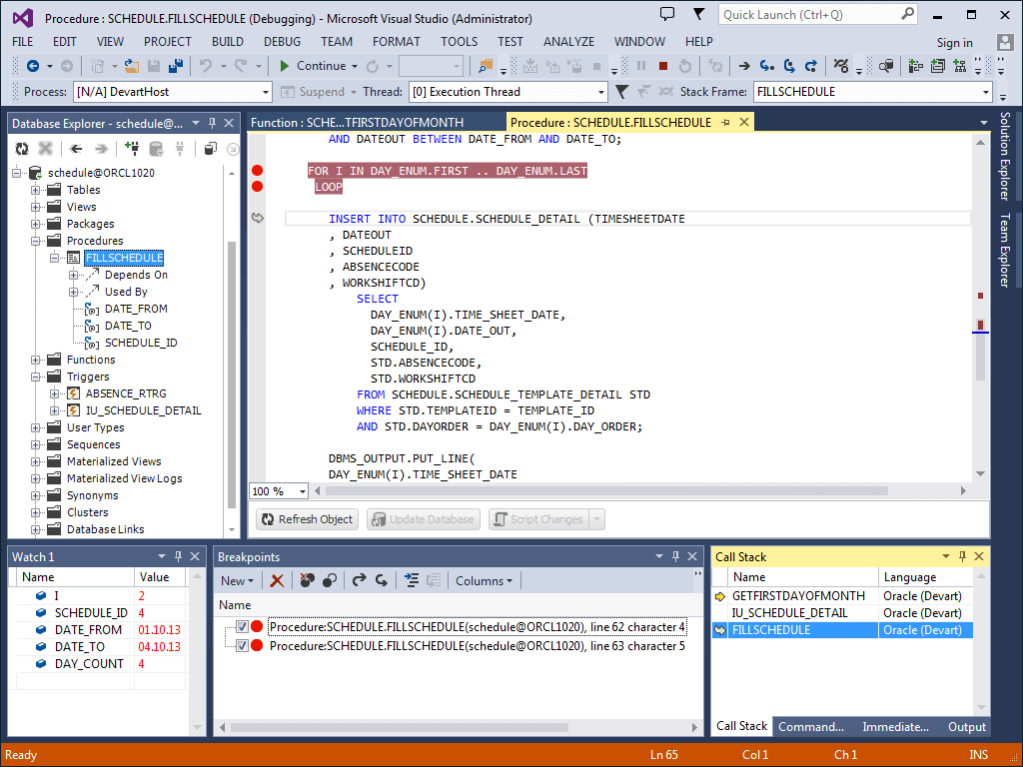
dbForge Fusion for Oracle is a useful Visual Studio plugin designed to enhance productivity of Oracle database development and simplify data management process. The tool provides an easy way to manage Oracle connections. Full integration of dbForge Fusion for Oracle with Microsoft Visual Studio allows developers to explore and maintain existing databases, design complex SQL queries, and manipulate data comprehensively. A single installation file can install the plugin into Visual Studio 2010, 2012, 2013 and 2015.
Key features:
- Integrates into Visual Studio 2010, 2012, 2013, 2015 and supports all IDE skins
- Integrates into dotConnect for Oracle
- Supports for Oracle versions from 7.3 to 12c
- Optimizes application performance for working with Oracle servers
- Extended code completion capabilities
- Data comparison tool helps quickly compare data in tables, find the differences at a glance, and generate a script to effortlessly synchronize data.
- Powerful Data Export and Import
- Master-Detail browser: explore and analyze master-detail data in a convenient browser.
- Data Reports
- Pivot Table. Users can convert large amounts of data into compact and informative summaries - pivot tables
- Object Viewer provides an easy way for analyzing objects and their structure right from Database Explorer.
About dbForge Fusion for Oracle
This Databases & Tools program is available in English. It was last updated on 29 October, 2026. dbForge Fusion for Oracle is compatible with the following operating systems: Windows, Windows-mobile.
The company that develops dbForge Fusion for Oracle is Devart. The latest version released by its developer is 3.8.
The download we have available for dbForge Fusion for Oracle has a file size of 49.3 MB. Just click the green Download button above to start the downloading process. The program is listed on our website since 2015-12-27 and was downloaded 0 times. We have already checked if the download link is safe, however for your own protection we recommend that you scan the downloaded software with your antivirus. Your antivirus may detect the dbForge Fusion for Oracle as malware if the download link is broken.
How to install dbForge Fusion for Oracle on your Windows device:
- Click on the Download button on our website. This will start the download from the website of the developer.
- Once the dbForge Fusion for Oracle is downloaded click on it to start the setup process (assuming you are on a desktop computer).
- When the installation is finished you should be able to see and run the program.
Program Details
System requirements
Download information
Pricing
Version History
version 3.8
posted on 2015-12-27
Visual Studio 2017 RC1 is supported
version 3.7
posted on 2015-09-11
* Visual Studio 2015 support
version 3.6
posted on 2014-08-21
* Connection via Windows authentication is added
* Ability to compile objects from object category node is added
* Current variable value output in tooltip while debugging procedures and functions is added
* Viewing script while editing columns, indexes etc. is possible now
Disclaimer
External Download
We do not host dbForge Fusion for Oracle on our servers. We did not scan it for viruses, adware, spyware or other type of malware. This app is hosted by the software publisher and passed their terms and conditions to be listed there. We recommend caution when installing it.
The external download link for dbForge Fusion for Oracle is provided to you by apps112.com without any warranties, representations or guarantees of any kind, so access it at your own risk.
If you have questions regarding this particular app contact the publisher directly. For questions about the functionalities of apps112.com contact us.
